Updated November 12, 2026 · Posted by RJ, Telecom Specialist
Quick answer: An EPIK device replaces the phone company’s copper dial tone with a digital (VoIP) line that runs over cellular and internet. You punch the EPIK’s ports down to a 66 block, cross-connect each EPIK pair to the customer’s existing phone wiring, and assign a phone number to each port. The customer either gets new numbers (for example, a 703 number) or keeps their existing numbers (for example, a 202 number) by porting them to the new service. Their phones, fax machines and alarm panels keep working with no rewiring at the phone itself.
🤖 Short on time? Ask AI about this article:
Why copper phone lines are being replaced
Traditional phone lines (called POTS, “Plain Old Telephone Service”) run over copper wire from the phone company. Carriers such as AT&T, Verizon and Lumen are retiring that copper network, and in March 2026 the FCC removed many of the rules that used to slow that process down. In many areas the price of keeping a copper line has jumped from about $50 a month to hundreds or even thousands of dollars a month per line.
That leaves businesses with lines they still depend on — main phone lines, fax machines, fire alarm panels, elevator phones, security systems and gate call boxes — that need a new home. A POTS replacement device such as EPIK is built for exactly this job.
What an EPIK device is
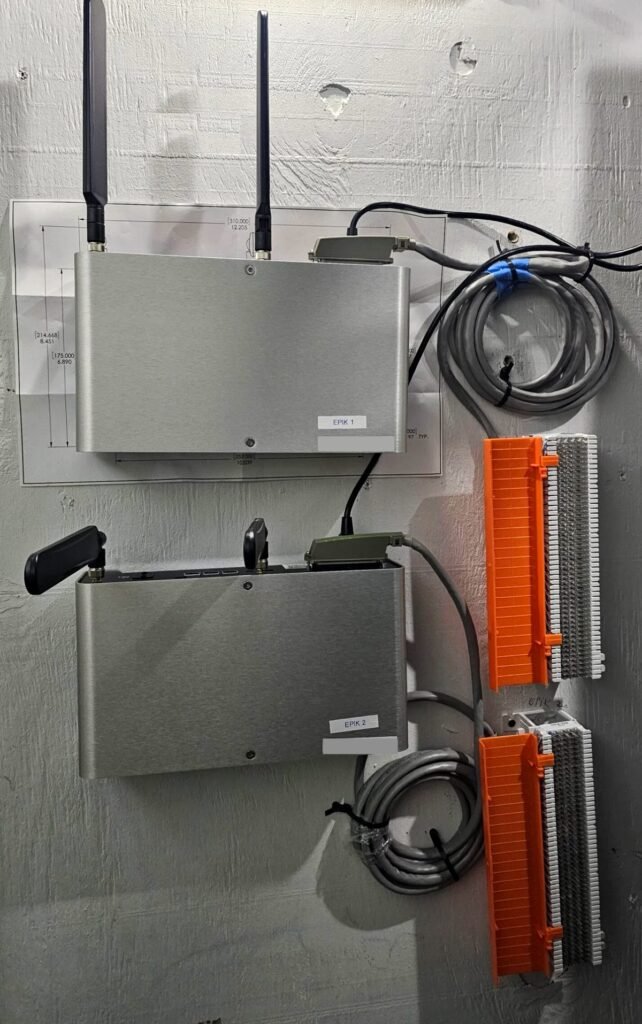
EPIK (sold through providers such as Granite) is a small box installed in the customer’s phone room or network closet. It:
- Provides dial tone on analog ports (FXS ports), just like the phone company’s copper line did. Analog phones, faxes and alarm panels can’t tell the difference.
- Connects to the outside world digitally over cellular (it holds two SIM cards for two carriers) and can also use the building’s wired internet as a backup path.
- Has a battery backup, so lines keep working during a short power outage.
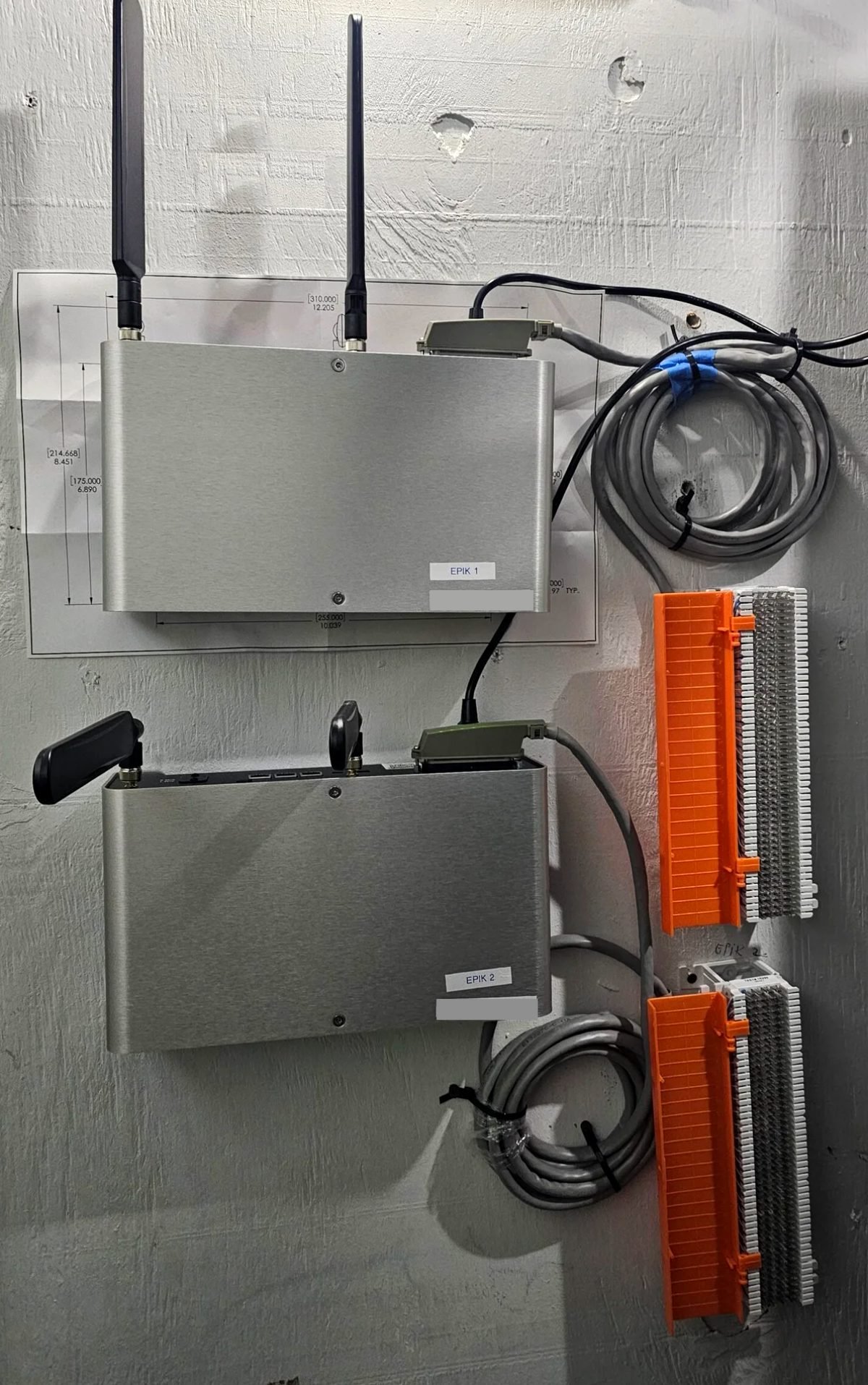
- Uses a 25-pair Amphenol (RJ21) connector for up to 8 analog lines, which can be punched down directly to a 66 block, or broken out to individual RJ11 jacks.
Each analog port on the EPIK is one phone line. Port 1 = line 1, port 2 = line 2, and so on.
What you need
- The EPIK device, activated by the provider
- A 66 block (or a pre-wired 66 block with a 25-pair Amphenol connector) and a 25-pair Amphenol cable
- Cross-connect (jumper) wire, a 66 punch-down tool and bridging clips
- A lineman’s test set (butt set) to check dial tone and test calls
- A list of every existing line: its phone number, where it lands on the existing block, and what it is used for
- The customer’s decision on each line: new number or keep existing number
Step 1: Inventory the existing lines
Before touching anything, find every copper line coming into the building and write down what it does. Call each number with a test set or cell phone to confirm which pair it rings on.
| Existing number | Where it lands now | What it’s used for | Keep number or new? |
|---|---|---|---|
| (202) 555-0101 | Telco block, pair 1 | Main office line | Keep |
| (202) 555-0102 | Telco block, pair 2 | Fax | Keep |
| (202) 555-0103 | Telco block, pair 3 | Fire alarm panel | New number OK |
| (202) 555-0104 | Telco block, pair 4 | Elevator phone | New number OK |
Alarm and elevator lines are usually outbound-only (they dial out to a monitoring center), so the customer often doesn’t care if their number changes. Customer-facing lines usually need to keep their numbers.
Step 2: Mount the EPIK and terminate it on a 66 block
- Mount the EPIK near the existing phone block, with power and good cellular signal (check the signal reading before you mount it permanently).
- Connect the EPIK’s Amphenol (RJ21) port to the 66 block with the 25-pair cable, or punch it down on a 66 block with a pre-wired connector.
- On the 66 block, the EPIK’s ports appear in order using the standard 25-pair color code:
| EPIK port | 66 block pair | Tip / Ring colors |
|---|---|---|
| Port 1 | Pair 1 | White-Blue / Blue-White |
| Port 2 | Pair 2 | White-Orange / Orange-White |
| Port 3 | Pair 3 | White-Green / Green-White |
| Port 4 | Pair 4 | White-Brown / Brown-White |
| Port 5 | Pair 5 | White-Slate / Slate-White |
| Port 6 | Pair 6 | Red-Blue / Blue-Red |
| Port 7 | Pair 7 | Red-Orange / Orange-Red |
| Port 8 | Pair 8 | Red-Green / Green-Red |
- Plug your test set onto pair 1 of the EPIK block. You should hear dial tone. Repeat for each port you plan to use.
Step 3: Cross-connect the EPIK pairs to the customer’s phones
The customer’s phones, fax and alarm panel are already wired back to the existing block (the “station side”). Now you connect them to the EPIK instead of the copper line:
- Run jumper wire from EPIK pair 1 on the EPIK block to the station pair that feeds the main office phone. Do the same for pair 2 to the fax, pair 3 to the alarm panel, and so on.
- Disconnect the old copper line from that station pair (remove the bridging clips or lift the telco jumper). A station pair must never be connected to both the phone company line and the EPIK at the same time.
- Record which EPIK port feeds which device. This mapping is what you will use to assign numbers.
Step 4: Assign phone numbers to the EPIK ports
The 66 block carries the line, but the phone number is assigned to the EPIK port in the provider’s portal (or by the provider’s provisioning team). Because you know which pair is which port, you know exactly which number rings which device.
Option A: The customer accepts new numbers (for example, 703)
This is the fastest path, and the line can usually be live the same day.
- The provider issues a new number for each line (for example, (703) 555-0201).
- The new number is assigned to the EPIK port — for example, (703) 555-0201 to port 1.
- Because port 1 is cross-connected to the main office phone, calls to (703) 555-0201 now ring that phone, and calls from that phone show (703) 555-0201 on caller ID.
- Give the customer an updated list of their numbers, and remind them to update their website, business cards, Google Business Profile and alarm monitoring company.
Option B: The customer keeps their existing numbers (for example, 202)
The customer keeps their 202 numbers through a number port (Local Number Portability). The number moves from the old phone company to the EPIK service. People who call the 202 number reach the same phone they always have, and the customer’s outgoing calls still show the 202 number.
- Collect what the port needs: a recent phone bill from the current carrier, the account number and PIN, the exact service address and name on the account, and a signed Letter of Authorization (LOA).
- Submit the port request through the EPIK provider. The old carrier confirms a port date, called the FOC (Firm Order Commitment) date. This usually takes a few days to a few weeks.
- Before the port date: the EPIK port is set up with a temporary number, so you can install and test it. If the customer needs the line working on EPIK right away, the existing 202 line can be forwarded to the temporary number. Calls to 202 then ring through the EPIK to the same phone. This is the “bridge” between the old number and the new line.
- On the port date: the 202 number moves to the EPIK service and is assigned directly to the same port. Calls to (202) 555-0101 ring straight to EPIK port 1, which rings the main office phone, and calls made from that phone show (202) 555-0101 on caller ID.
- After the port is confirmed working: remove any temporary forwarding, disconnect the old copper pair from the station side if you haven’t already, and have the customer cancel any remaining copper service that wasn’t ported.
Step 5: Test every line
For each EPIK port, check:
- ☐ Dial tone at the device (phone, fax, alarm panel)
- ☐ Inbound call to the assigned number rings the right device
- ☐ Outbound call shows the correct caller ID
- ☐ 911 address is registered for the site with the provider (ask the provider to confirm; place a test call only if the provider and local 911 rules allow it)
- ☐ Fax: send and receive a multi-page test fax
- ☐ Alarm panel: ask the monitoring company to confirm they received a test signal
- ☐ Elevator phone: place a test call to the monitoring center
- ☐ Unplug the EPIK’s internet cable (if it uses one) and confirm calls still work over cellular
Troubleshooting EPIK line problems
| Problem | Likely cause | Fix |
|---|---|---|
| No dial tone on a pair | Wrong pair punched, or port not activated | Check the color code against the port table; confirm the port is active in the portal |
| Phone rings but the wrong device answers | Cross-connect mix-up | Trace the jumper from the EPIK pair to the station pair and correct it |
| Old number still rings the old line | Port not complete yet | Check the FOC date with the provider; keep forwarding in place until the port completes |
| Outbound caller ID shows the temporary number | Caller ID not updated after the port | Ask the provider to set the port’s outbound caller ID to the ported number |
| Fax fails partway through | Fax speed too high for a digital line | Lower the fax machine’s transmission speed (for example, to 9600 bps) and retest |
| Alarm panel won’t report | Panel dial settings or format | Have the alarm company check the panel’s dialing settings and reporting format |
| Static or hum | Old copper still bridged to the pair | Remove the bridging clips or jumper from the old telco line |
Related guides: ISP and WAN troubleshooting · Fiber optic and cabling troubleshooting · Step-by-step repair procedures
Frequently asked questions
Does the customer need new phones?
No. EPIK provides standard analog dial tone, so existing analog phones, fax machines and alarm panels keep working.
Can the customer keep their old phone number?
Yes. The number is ported to the EPIK service. Until the port is done, the old line can be forwarded to the new line so no calls are missed.
What happens if the power goes out?
EPIK has a battery backup that keeps lines working for a period of time. Check the battery runtime for the model installed, especially for fire alarm and elevator lines.
What happens if the internet goes down?
EPIK uses cellular service (with two carriers) as its main or backup connection, so lines keep working when the building’s internet is down.
How long does the switch take?
The physical install usually takes a few hours. New numbers can be live the same day. Keeping existing numbers depends on the port date, usually a few days to a few weeks.
Submit your issue, we can help
Tell us what's happening. We'll reply by email with troubleshooting steps. There's no charge for written guidance.